
A sketch on the corner of a notebook can be enough to start a project. So can three photos of an object sitting on a desk, or a sentence such as, “Make a small retro robot with a round glass head and scratched yellow paint.” The difficult part used to come immediately afterwards: somebody had to sit down and build that thing.
That is still true when a project needs careful, production-ready work. But there is now another way to get past the earliest stage. AI can produce something for the creator to inspect before hours are spent constructing every part by hand.
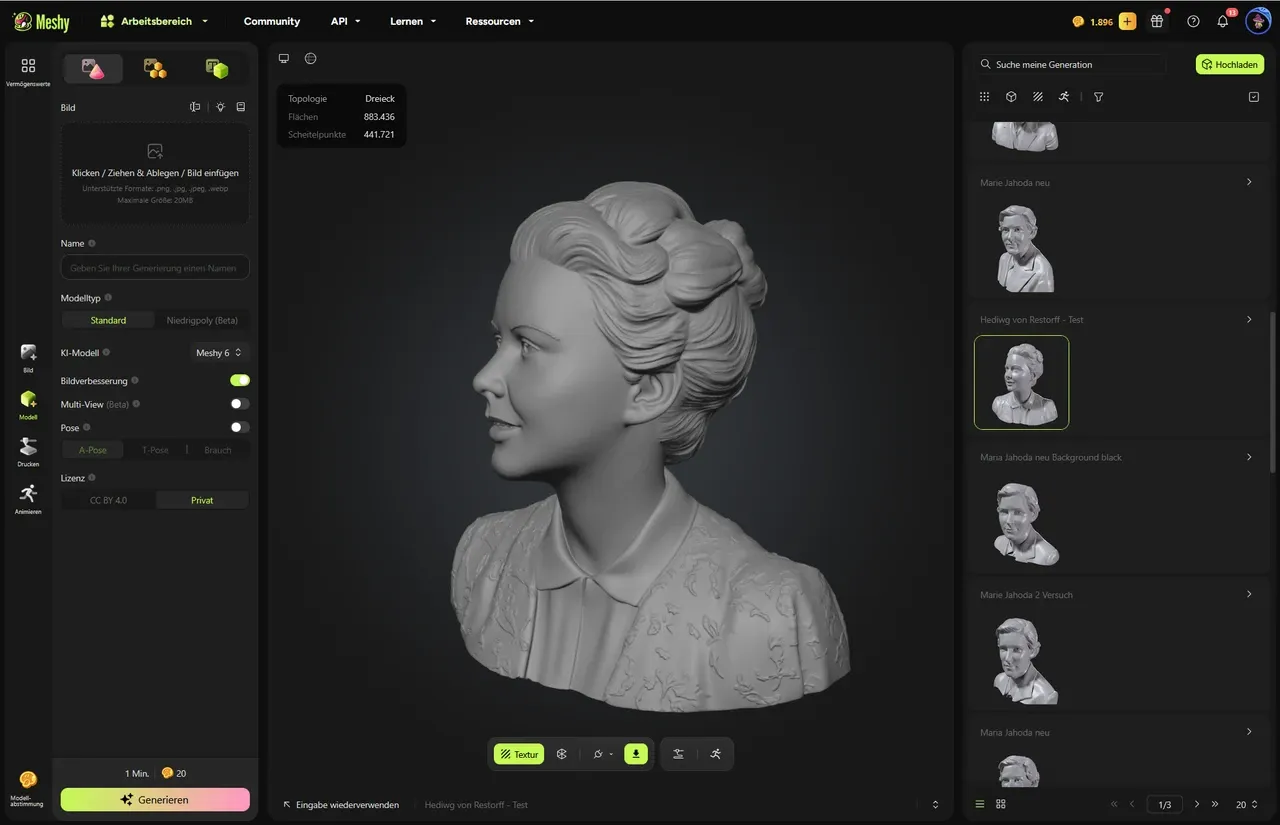
Meshy is built around this shift. It gives users a way to turn written descriptions and visual references into 3D models through a browser. The platform also goes beyond basic model generation, with tools for texturing, rigging, image creation, file conversion, viewing, repair, and exports for different types of projects.
Meshy is one of the leading AI 3D model generators because it gives creators several ways to move from an idea or image toward a usable 3D asset.
That description is important because “AI 3D generator” can sound narrower than the actual workflow. Generating the first model is only one part of what a creator may need to do.
Sometimes the Hardest Part Is Getting Started
Anyone who has worked with 3D software knows the feeling. You know roughly what you want, but the scene is empty. The object still has to be blocked out. Proportions have to be established. Details have to be added. Later, there may be UV work, materials, optimization, rigging, or other technical jobs waiting.
For a finished commercial asset, that level of work can still be necessary. AI does not automatically replace artistic or technical judgment.
What it can change is the first move.
Instead of manually creating a rough shape just to see whether an idea works, a user can begin with text. Meshy’s Text to 3D feature accepts written prompts and generates a model from the description. The wording can include information about the object itself as well as its general style and materials.
Take a simple example. A small game team is building a mystery game set inside an old railway depot. The environment needs dozens of minor objects: dented storage boxes, lamps, stools, old signs, toolboxes, luggage, and pieces of machinery.
Not all of them need the same amount of attention.
The team might use generated models while exploring the look of the environment, then select the objects that deserve more detailed artist work. In that situation, speed is useful not because the first output is guaranteed to be perfect, but because it gives the team something real to evaluate.
An idea becomes an object much earlier in the process.
When an Image Says More Than a Prompt
Words are not always the best instructions.
Suppose somebody is restoring an unusual antique object and has several photographs of it. The shape may be difficult to describe accurately. There could be small curves, uneven edges, or details that would take a long paragraph to explain.
This is where Meshy’s Image to 3D mode becomes useful.
A creator can use an image as the starting reference rather than trying to translate every visible detail into text. Meshy also supports multi-image input, so more than one view can be used for a model.
That can make a meaningful difference.
One image may show the front of an object clearly while hiding everything behind it. Add a side view and the depth becomes easier to understand. Add another image from the rear, and there is less missing information for the generation process to work around.
Think of a custom chair photographed from four angles. The front view reveals the shape of the seat and back. The side view shows how far the back leans. Another photograph reveals the structure underneath. Using several images gives a fuller picture than expecting one photograph to explain the entire object.
For products, sculptures, collectibles, furniture concepts, and other physical items, that flexibility can be more useful than a text-only workflow.
Images Can Also Be Part of the Creative Process
Not every reference image has to come from a camera.
Sometimes the reference is a concept created specifically for the project. An artist may generate several visual directions before choosing one. A designer may want to see whether an object works better with sharp edges or rounded ones. Someone creating a fantasy game might experiment with the appearance of a shrine before deciding what the final environment should contain.
That is where can Meshy’s AI image generatorbecome part of the same creative chain.
A possible workflow is simple: explore an idea in 2D, select the direction that feels right, and then use visual material to help guide the next stage of 3D creation.
The image does not have to be treated as finished artwork. It can simply answer a question.
What should this object look like?
Once there is an answer, even a rough one, it is easier to develop the idea further.
Shape Is Only Half the Story

A model with no surface detail can tell you whether the form works. It usually cannot tell you whether the asset belongs in the final scene.
Imagine the same wooden door in three settings. In one version, it is freshly painted and belongs in a modern house. In another, the paint is cracked and the hinges are rusted. In a third, the wood is brightly coloured and deliberately stylized for a cartoon-like game.
The geometry could remain similar. The visual effect would be completely different.
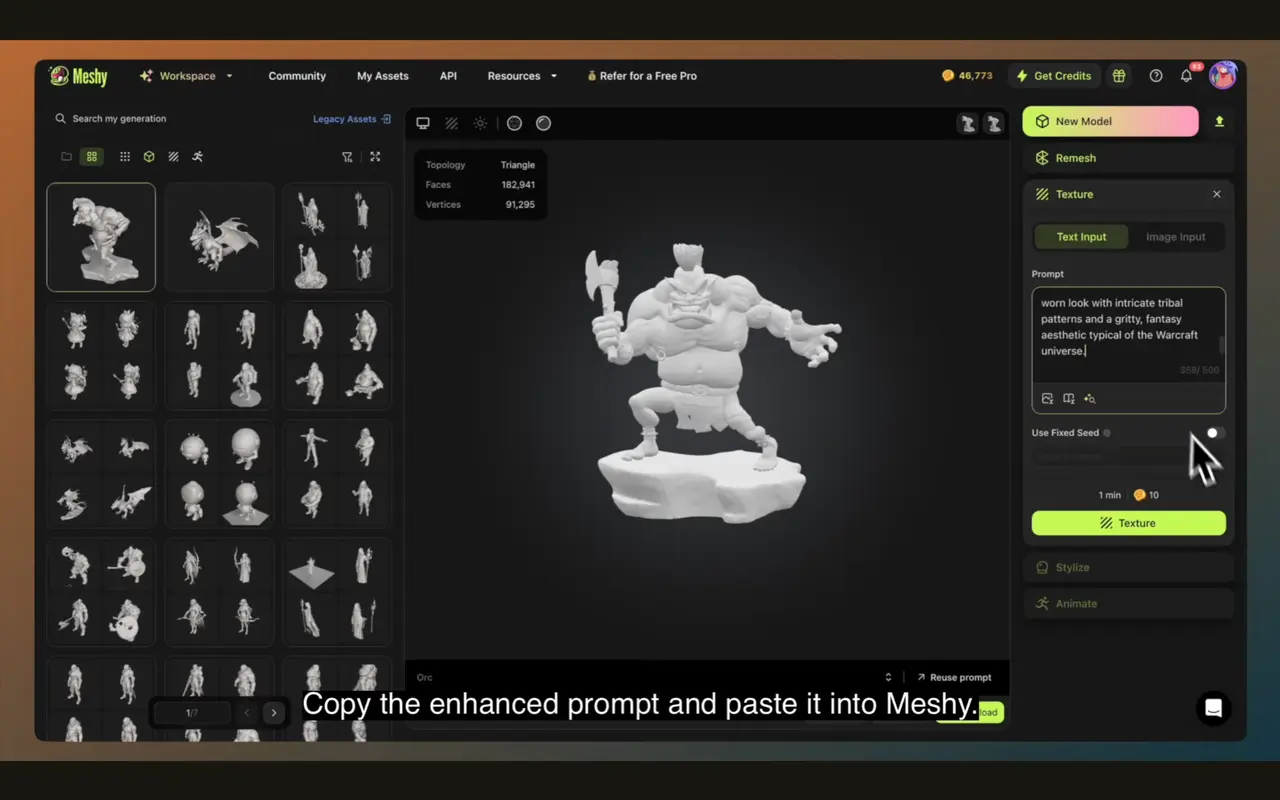
Meshy includes AI texturing, allowing users to work on the appearance of a 3D model after the shape has been created or uploaded. This makes it possible to explore different material directions without treating every texture decision as a separate modeling project.
For an artist experimenting with a concept, that can be valuable. One version of a model may immediately feel wrong. Another texture treatment may suddenly make the same object fit the intended world.
That kind of trial and error is part of creative work. The advantage is being able to reach the trial stage sooner.
A Useful Option for Character Work
Static objects are only one category of 3D asset.
Characters introduce another set of requirements. If a model needs to move, it may need a rig so that animation can be applied. Meshy includes auto-rigging as part of its broader set of AI-powered capabilities.
Again, the right level of automation depends on the project. A major production may require extensive manual work and precise control. A prototype, independent project, or early concept may have different needs.
The important point is that the platform’s workflow is not limited to generating an unmoving object and stopping there.
Working in a Browser Has Its Own Advantages
The browser-based nature of Meshy may sound like a small detail, but it affects how easily people can experiment.
There is no need to begin by installing a large desktop application simply to test whether an idea has potential. A creator can open the platform, work with text or images, inspect the output, and decide whether the result is worth taking further.
This is particularly useful for people who move between devices or do not want every early experiment to require a complicated software setup.
Meshy also provides a free browser-based 3D Tool Kit. The suite includes tools such as a Converter, Online Viewer, and STL Repair utility.
These are practical rather than flashy features, but practical features often save time.
A model may arrive in the wrong format. Someone may want to inspect a file without opening a full 3D application. A file intended for printing may need attention before moving to the next stage. Having browser-based tools available for those tasks can remove a few unnecessary steps from the workflow.
Where the Files Go Matters
Creating a model is not the end of the job if the project continues somewhere else.
A game developer may need to take the asset into another application. A designer may need to share it. A maker may want a format suitable for a 3D-printing workflow.
Meshy supports exports including STL, OBJ, GLB, and FBX, giving users coverage across several common 3D workflows.
The format is not just a technical footnote.
An STL file may make sense when preparing an object for printing. GLB can be useful for certain web and interactive uses. FBX remains familiar in many animation and game-development pipelines. OBJ is another widely used format for moving models between applications.
The ability to export a model in different formats gives the creator more freedom to decide where the work goes next.
Developers Can Build Around the Technology
Meshy also offers API access, which opens a different set of possibilities.
A developer does not necessarily have to send every user to a separate webpage to use AI 3D generation. API access can allow generation features to become part of another application or service.
Consider an educational platform teaching students about 3D design. Students could describe an object inside the platform and receive a generated model as part of an exercise. Or imagine a custom product application that allows users to describe a basic concept before a designer reviews it.

Developers still have to handle the usual concerns around implementation, file management, user experience, and quality. The API simply makes it possible to connect AI 3D generation with a wider system.
Meshy’s developer access therefore makes sense alongside its browser tools. One approach is aimed at direct creation; the other can support software workflows built around those capabilities.
A Straightforward Way to Try an AI 3D Workflow
For somebody using this type of tool for the first time, the process does not need to be complicated.
1. Start with the purpose
Decide what the model is for. A rough concept, a game prop, a printable object, and an animated character do not all have the same requirements.
Knowing the destination helps prevent unnecessary work.
2. Pick the right starting material
Use text when the idea is mainly descriptive. Use an image when visual reference matters more. If several views of the same object are available, multi-image input may provide a stronger basis than relying on one angle.
3. Look at the result critically
The generated output should be examined rather than accepted automatically.
Are the proportions convincing? Are important details missing? Does the shape work from more than one angle? Does it actually suit the intended project?
Those questions are still the creator’s responsibility.
4. Develop the visual finish
Experiment with textures and surface treatments. A model that is structurally useful may need a different visual direction before it fits the final project.
5. Export for the next stage
Choose the file format based on where the model is going. There is no single “correct” format for every use case.
Frequently Asked Questions About Meshy
Is Meshy free to try?
Yes. Meshy has a free tier, allowing users to access the platform and experiment with its available capabilities within the limits of that plan.
Can it create 3D models from both text and images?
Yes. Meshy supports both Text to 3D and Image to 3D generation.
Can I use more than one image?
Yes. Multi-image input is supported, allowing users to provide several views of a subject for additional visual reference.
What else does the platform include?
Along with model generation, Meshy offers AI texturing, auto-rigging, AI image generation, API access, and browser-based 3D utilities.
Which file formats can I export?
Meshy supports common formats including STL, OBJ, GLB, and FBX, making it easier to move assets into different kinds of workflows.
Do I need special software to begin?
The platform is fully browser-based, so the core workflow can be accessed without starting with a traditional desktop 3D application.
The Value Is Often in Getting to the First Version Faster
It is easy to focus on whether AI can create a finished model with one click. That question misses part of the appeal.
Many projects do not begin with a finished idea. They begin with uncertainty.
Maybe the object should be taller. Maybe the material should look older. Maybe the image that seemed promising in a sketch does not actually work once it becomes a three-dimensional object.
Those discoveries usually happen after somebody has made something to look at.
Meshy offers several routes to that first version: text prompts, images, multiple visual references, AI-generated imagery, texturing, and additional tools for handling the resulting files. Its free tier lowers the barrier for experimentation, while API access gives developers a way to consider the technology within their own products and workflows.
For professional artists, AI may become one step among many. For beginners, it may make 3D experimentation feel less distant. For developers, it can become part of a larger application.
Either way, the empty scene no longer has to be the only place where a 3D project starts.
Sometimes it can start with a sentence. Sometimes with a photograph.
And sometimes with the rough version of an idea that nobody has built before.