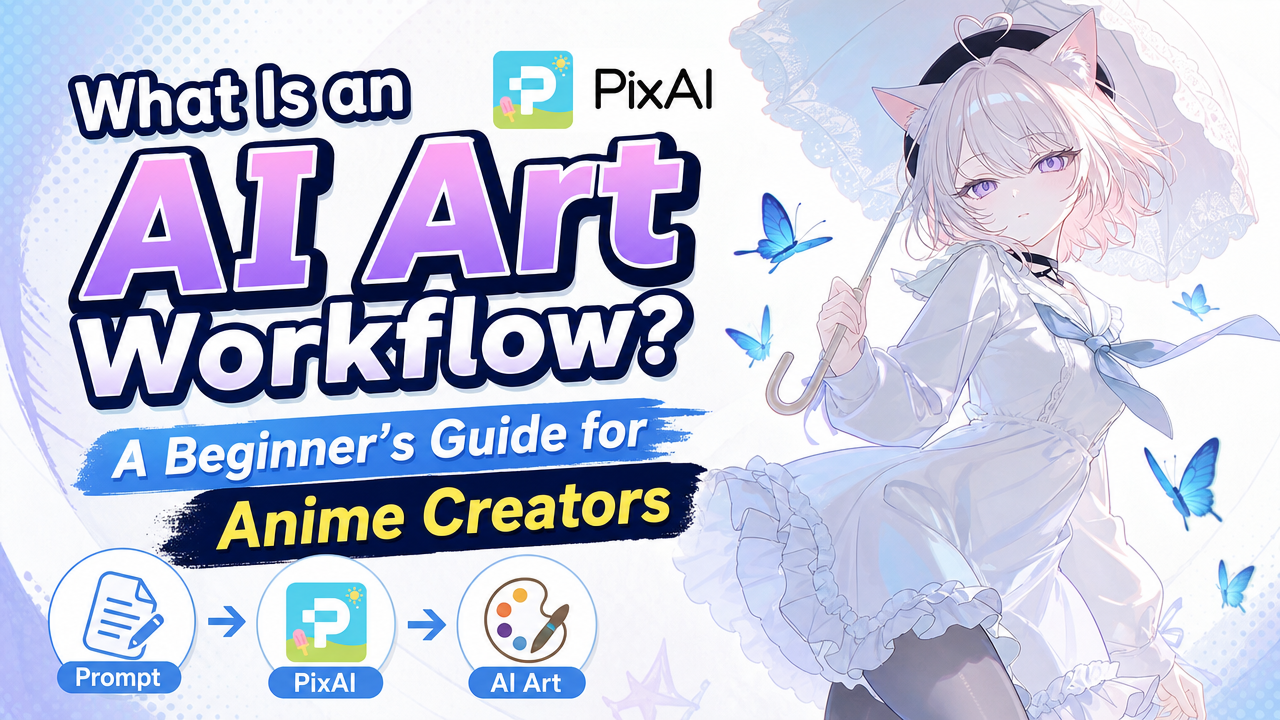

An AI art workflow is an organized sequence of creative steps in which the output of one stage becomes the input for the next.
That is the whole idea. In practice it looks like this: idea → image generation → editing → video or final output. Each stage hands its result to the one after it, so you are not starting over every time you want to change something.
If you currently generate an image in one place, edit it somewhere else, and animate it in a third tool, you already have a workflow — it is just running through your downloads folder.
This guide covers why connected workflows help, what parts they are built from, and how PixAI Studio supports them. No node theory required.
One-Off Generation vs a Connected Workflow
The difference is easier to see side by side.
|
One-Off Generation |
Connected Workflow |
|
One prompt → one or several images → choose a result |
Idea or asset → generation → review → edit or variation → video or related output |
|
Ends when you download the image |
Continues into the next stage |
|
Each new attempt starts fresh |
Each stage builds on the previous one |
|
Best for a standalone piece |
Best for reusing and developing assets |
One-off generation is still genuinely useful. If you want a single illustration for a post, opening a generator and typing a prompt is the fastest path there, and adding structure would only slow you down.
A workflow earns its place when you want to continue something — refine a character, produce several related images, or carry one piece into another format. The value comes from reuse, not from complexity.
Why Anime Creators Use Connected Workflows
Anime projects tend to sprawl. A single OC can turn into a portrait, an expression sheet, two scene illustrations, and a short animation, and each of those needs the previous one.
Connected workflows reduce a handful of specific frustrations:
- Repeated exporting and uploading between separate tools for every small change.
- Losing track of image versions when four similar files sit in the same folder with unhelpful names.
- Re-entering similar settings each time you start a related generation.
- Scattered source files and intermediate outputs, where the version you actually wanted has vanished into a download history.
- Difficulty continuing the same OC or artwork into another format, such as moving a finished illustration into video.
- No repeatable process when a project needs several related assets made the same way.
None of this means every creator needs a workflow. Plenty of people make excellent anime art one prompt at a time. It becomes worthwhile when your projects stop ending at the first image.
The Four Basic Parts of an AI Art Workflow
Every workflow, simple or complex, is built from four things.
Inputs
Whatever the workflow starts with — a prompt, a reference image, an existing illustration, or another starting asset.
Anime example: a portrait of your OC that you already generated last month, used as the starting point for a new scene.
Creative Steps or Nodes
The individual actions the workflow performs: generating an image, editing it, creating a variation, or producing video.
Anime example: a generation step that produces the character in a new outfit, followed by an editing step that corrects the collar detail.
Connections
The paths that send one output into the next step. Connections are what make a workflow a workflow rather than a list of separate tasks.
Anime example: the edited character image flowing directly into a video step, without any downloading in between.
Outputs
What comes out — generated images, edited images, videos, or the final asset you actually publish.
Anime example: one finished OC introduction image plus a short animated version of the same artwork.
That is the full vocabulary. There is no need to think about node execution order, APIs, or model architecture to use any of it.
A Simple Five-Step Anime Workflow
Here is one concrete example: an OC introduction post, where you want a clean character image to introduce your original character.
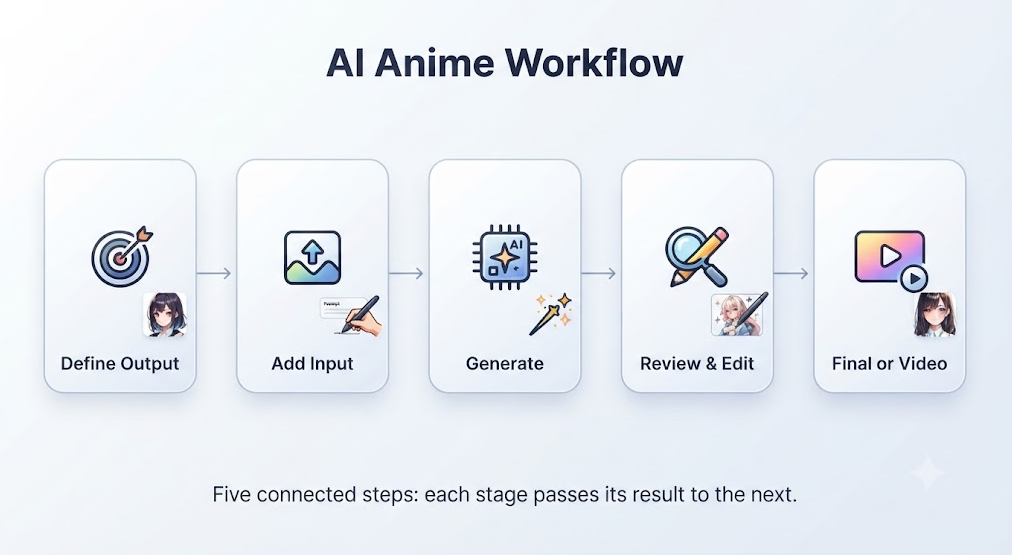 Notice that the workflow contains only the steps this project needs. Nothing is added because it exists.
Blank Canvas vs Ready-Made Template
Beginners usually face one early choice: build from nothing, or start from something.
|
Starting Method |
Best For |
Advantage |
Limitation |
|
Blank canvas |
Creators who already know which steps they need |
Full control over the arrangement |
Slower to set up, and easy to miss a step |
|
Ready-made template |
Creators who want an existing structure to inspect and modify |
Working example to learn from immediately |
May include steps your project does not need |

Neither option is more advanced than the other. Many creators open a template first, look at how the steps connect, then rebuild a simpler version once they understand the pattern.
How PixAI Studio Supports an Anime Workflow
PixAI Studio is built around a canvas where generation, editing, and asset-management steps can be connected together rather than handled separately.
Assets on that canvas can include image, video, text, and audio elements, which sit in the same working space instead of being split across separate tools. For an anime project, that usually means a character image, a written prompt, and a video stage living side by side.
Ready-made image and video templates are available if you would rather start from an existing structure and adjust it. Previous PixAI creations can also be brought back in, so an OC you generated earlier becomes the input for something new.
The practical benefit is continuation: an output from one stage can move into a later image or video stage without leaving the workspace.
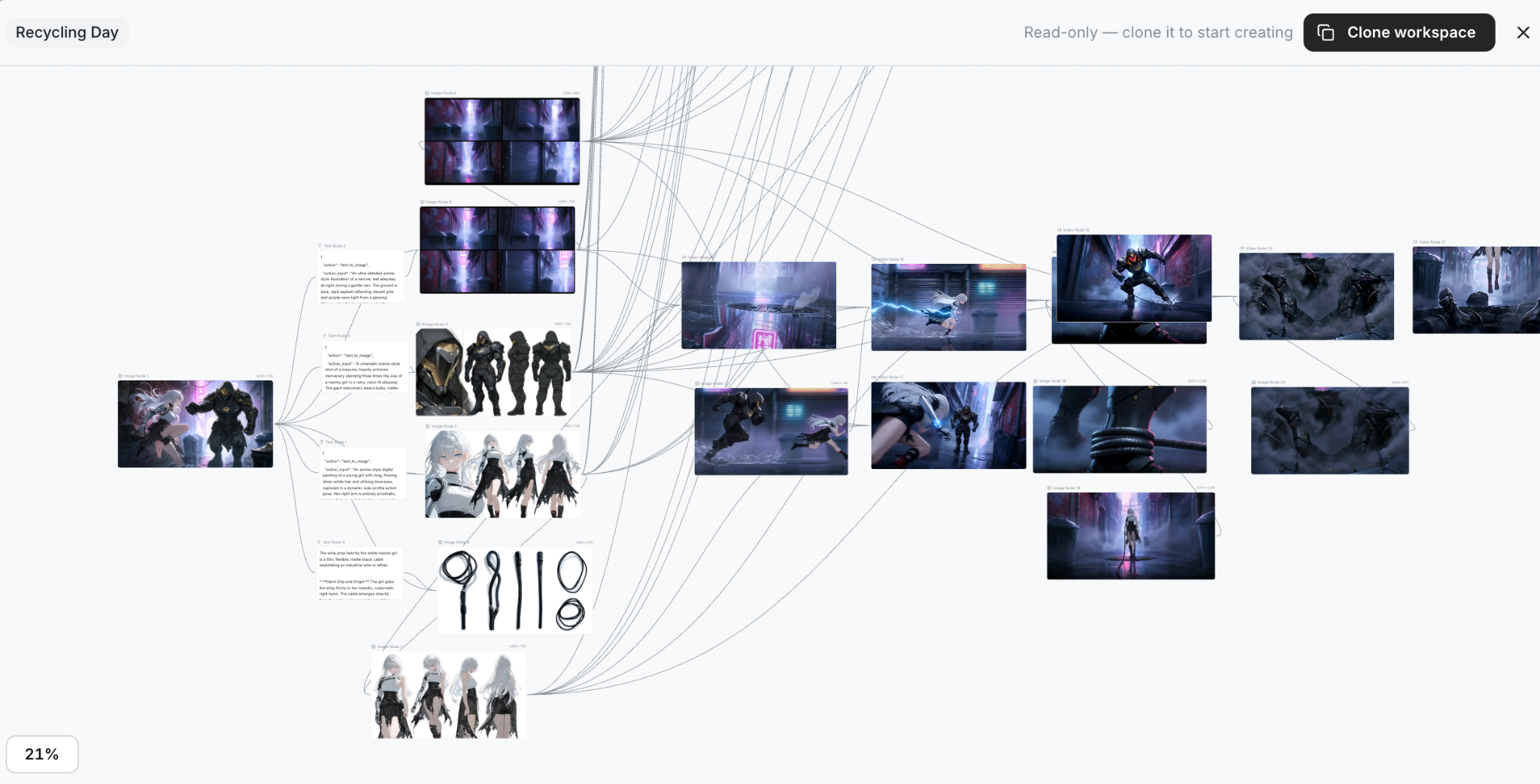
It is worth being clear that this is still creative work. A canvas gives you structure and reuse, not a one-click result, and you will still be making judgement calls at every stage.
When You Do Not Need a Complex Workflow
Sometimes the simple route is the right one.
If you want a single standalone image and have no plans to revise or extend it, a straightforward image generator will be faster. Building a connected workflow for a one-off picture adds setup time you will not recover.
A workflow becomes genuinely useful once a project involves revisions, several related assets, character continuation across images, or an image-to-video step. Those are the situations where reuse pays for the structure.
Conclusion
An AI art workflow is not about building something elaborate. It connects only the steps your final goal actually requires — and nothing more.
If your anime projects keep continuing past the first image, try building one simple workflow in PixAI Studio and see how much of the file-shuffling disappears.