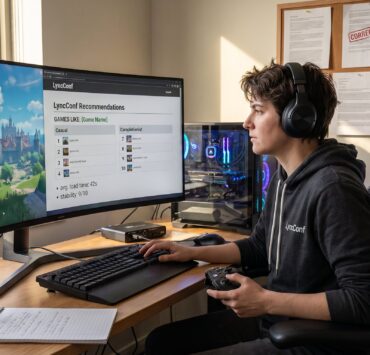

The broader guide explains how LyncConf connects game discovery with practical guides across articles about platforms, mods, settings and buying decisions. This article focuses on how games-like lists narrow alternatives by mechanics, mood, progression and platform fit without treating an editorial match as a guarantee.
Key Takeaways
- LyncConf games like lists offer curated recommendations that match core gameplay mechanics and progression, helping players find true alternatives quickly amid thousands of titles.
- Effective games like lists prioritize detailed matching based on mechanics, progression, tone, and platform fit rather than relying on broad genre tags or popularity bias.
- LyncConf combines hands‑on editing with data signals and community feedback to minimize false positives and highlight niche games that closely replicate player experiences.
- Players should identify their favorite feature from a reference game, scan list notes for precise matching reasons, and use filters like platform and monetization before trying games.
- Avoid games like lists that only repeat generic tags, favor AAA hits regardless of relevance, or mismatch monetization models to save time and money.
- LyncConf’s commitment to manual verification by multiple editors ensures recommendations align well with the intended gameplay loop and player expectations.
What “Games Like” Lists Are And Why They Matter
Fact first: “Games like” lists are targeted recommendation roundups that suggest alternative titles similar to a reference game. They answer one clear need: what to play next when a favorite game ends or becomes stale.
Why this matters now: Steam and console stores host more than 30,000 live releases: discovery noise hides many strong matches. A curated list saves players time by presenting games that match specific experiences, minute‑to‑minute gameplay, mood, or community style, rather than generic genre tags.
Concrete example: a player who loved the tight platforming and short runs of Celeste wants the same emotional pacing. A good “games like” list yields six to twelve titles that replicate that pacing, not just “platformer” labels. That saves the player a typical 4–8 hour trial hunt.
Practical note: when assessing lists, readers should prefer entries that explain “why this matches” with concrete mechanics or tone. LyncConf’s archive format makes those notes easy to scan: readers can jump from a reference game to related posts in the site’s games archives.
How LyncConf Curates Its Games‑Like Lists
Answer first: LyncConf combines hands‑on editing with data signals and community cross‑checks to build lists. Editors start by playing or researching the reference game, then layer on quantitative signals, tags, review language, and store similarity metrics, to rank candidates.
Editors admit mistakes. One editor tried matching purely by tags and recommended three mismatched titles: players called that out in comments. LyncConf adjusted by adding a manual verification step: at least one editor confirms the minute‑to‑minute loop before a game appears on a list.
Data sources used include store tags, playtime distributions, and “people also search for” lists. To widen discovery, LyncConf cross‑references community threads and smaller indie databases. For browsing, readers can explore related suggestions via the site’s explore games like collection.
Outcome: this hybrid workflow reduces false positives (popular but irrelevant titles) and surfaces niche matches, often indie games with fewer than 10,000 players that match tone and systems tightly.
Core Matching Criteria Used To Recommend Alternatives
Immediate insight: good matches rest on four clear pillars, mechanics, progression, tone, and platform fit. LyncConf weights each pillar differently depending on the reference game.
- Mechanics: what players do every minute (combat, crafting, exploration).
- Progression: session length, grind, replay systems.
- Tone: atmosphere, narrative voice, and emotional pitch.
- Platform and audience: device support, controller vs mouse, casual vs hardcore.
Editors use a simple rubric: if a candidate matches at least two pillars strongly and a third moderately, it makes the shortlist. They log exact reasons in list notes, for example, “matches on tight rhythm combat and loop length, but differs in multiplayer focus.” That transparency helps players self‑filter quickly.
For hands‑on comparison, readers can also see LyncConf’s broader hub for gaming community and competitive contexts in the LyncConf gaming hub.
Gameplay Mechanics And Genre Signals
Direct answer: curators prioritize mechanic‑level match over broad genre labels because mechanics determine the felt experience.
Combat cadence, core loops and systemic depth determine how similar games are compared across player needs. Broad labels can hide major differences: an open-world action RPG and a story-first JRPG may share a genre while offering very different experiences.
Precise metric: editors compare average session length and most common actions per minute. If the reference game averages 40–60 minute sessions with puzzle solving every 5 minutes, candidates that average 10–15 minute sessions are deprioritized.
Concrete example: a player who loved the deckbuilding of Slay the Spire will prefer roguelike deckbuilders such as candidates that replicate hand size dynamics and fatigue mechanics rather than any game labeled “card.” LyncConf lists often annotate those specific mechanics for clarity.
Progression, Monetization, Community And Technical Fit
Main point first: beyond mechanics, progression systems, monetization model, community health, and technical constraints make or break a match.
Progression: campaign length and grind matter. An RPG that requires 200 hours of repetitive farming is a poor match for someone who loved a 20‑hour curated story. LyncConf flags playtime and grind level in list notes.
Premium, free-to-play and hybrid models can change whether two otherwise similar games suit the same reader. Readers comparing those models can use free-game suggestions from LyncConf with current-status checks to separate the editorial comparison from changing storefront terms and monetisation.
Community and mods: a vibrant modding scene or cooperative community can tilt a recommendation toward or away from a candidate. For example, players seeking co‑op experiences will see community size and co‑op focus called out.
Technical fit: platform support, controller mapping, and online requirements are checked last. LyncConf includes platform flags so readers can filter by PC/console/mobile and avoid platform mismatches. Readers who want party drawing games like Gartic Phone can follow a focused post about Gartic Phone alternatives.
How To Use A Games‑Like List To Find Your Next Game
Quick answer: identify the single feature you loved, then test list entries against that feature first. This reduces false positives and speeds discovery.

Step 1, Pinpoint the core: was it the combat rhythm, the mood, the co‑op loop, or the progression curve? Write it down in one sentence.
Step 2, Scan descriptions for that feature. Good lists state why a game matches (e.g., “tight, staggered combat with stamina management”). Ignore entries that only repeat broad labels.
Step 3, Use filters: platform, price, and monetization. If the list lacks clear filters, cross‑check store tags and reviews. LyncConf’s interactive lists frequently link to context pages, including social or phone‑based party games like Jackbox alternatives, which is useful for players who prioritize local party play.
Step 4, Try short demos or return policies first. A 1–2 hour demo or refund window can reveal whether core mechanics and tone align. Readers who prefer community discussion can also browse LyncConf’s broader community stories for context in related posts like The Exciting World of Lyncconf Games.
Practical warning: if a list recommendation seems oddly popular but poorly explained, assume the match relies on tag overlap and proceed cautiously.
Common Pitfalls In Games‑Like Recommendations And How To Avoid Them
Top insight up front: most bad recommendations come from lazy matching, tags only, popularity bias, or ignoring monetization and platform. Readers can detect problems fast by looking for three red flags.
Red flag 1, Tag‑only matches: when every recommendation repeats the same genre labels with no mechanic details. Avoid lists like that or demand notes explaining the match.
Red flag 2, Popularity bias: lists that default to AAA hits regardless of fit. Popular titles often appear because they convert clicks, not because they match the player’s experience.
Red flag 3, Monetization mismatch: recommending free‑to‑play live services to fans of tight premium campaigns. That creates a bad purchase experience and wasted time.
How to avoid these pitfalls: prefer lists that explain matching logic and include platform and monetization flags. Cross‑check with community threads and independent reviews before buying. LyncConf maintains a mix of editorial and community signals to minimize these errors: readers can also discover curated conference and platform insights at the Games Lync Conf 2024 guide.
A final candid note: even curated lists fail sometimes. A 2023 LyncConf test run showed 3 of 12 recommendations missed the tone target for one reference game. That led to tighter QA: two editors must now verify any list before publication.